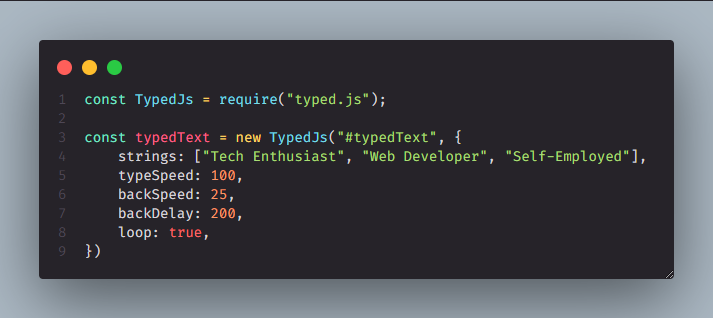
Adding subtle animations to your website can significantly enhance user engagement and create a more dynamic experience. One simple yet effective way to achieve this is by animating text using a JavaScript library like Typed.js.
What is Typed.js?
Typed.js is a lightweight JavaScript library that allows you to create typing animations, simulating the effect of someone typing text on a keyboard. It's highly customizable, offering various options to control the typing speed, backspacing, looping, and more.
Getting Started:
- Include or Install Typed.js. For basic HTML, add the following script to your <body>, at best before the </body> tag:
<script src="https://cdn.jsdelivr.net/npm/typed.js@2.0.16/dist/typed.umd.js"></script>Alternately, install using NPM or yarn:
npm install typed.js- HTML Setup: Create an HTML element where you want the animated text to appear. It's common practice to use a <span> or <h1> tag. Importantly, give it an id so you can target it with JavaScript.
<span id="typedText"></span>- JavaScript Initialization: Now, let's initialize Typed.js with your desired text and options. Create a new Typed instance, passing the ID of your HTML element and an object containing the configuration options.
const typed = new Typed('#typedText', {
  strings: ["Tech Enthusiast.", "Web Developer.", "Self-Employed."],
  typeSpeed: 50, // Typing speed in milliseconds
  backSpeed: 25, // Backspacing speed in milliseconds
  loop: true, // Loop the animation
  startDelay: 1000, // Delay before the animation starts in milliseconds
  backDelay: 1500, // Delay before backspacing in milliseconds
  showCursor: true, // Show the cursor
  cursorChar: '|', // Character for the cursor
});
Example of HTML structure:
<!DOCTYPE html>
<html>
<head>
  <title>Typed.js Example</title>
</head>
<body>
  <h1>Animated Text: <span id="typed-text"></span></h1>
  <script src="https://cdn.jsdelivr.net/npm/typed.js@2.0.16/dist/typed.umd.js"></script>
  <script>
    const typed = new Typed('#typedText', {
      strings: ["Tech Enthusiast.", "Web Developer.", "Self-Employed."],
      typeSpeed: 100,
      backSpeed: 25,
      backDelay: 200,
      loop: true
    });
  </script>
</body>
</html>
For more information, access TypedJs documentation